A few days ago, I was trying to work on my Kali virtual OS that I installed on my VMware, Then I got a response while trying to power on the virtual machine that i needed to disable Hyper-V for VMware to work.
I don't remember installing or enabling hyper-v probably might have come in as an update or something.
Having the same problems or just looking to disable your hyper-v ?
Here's how
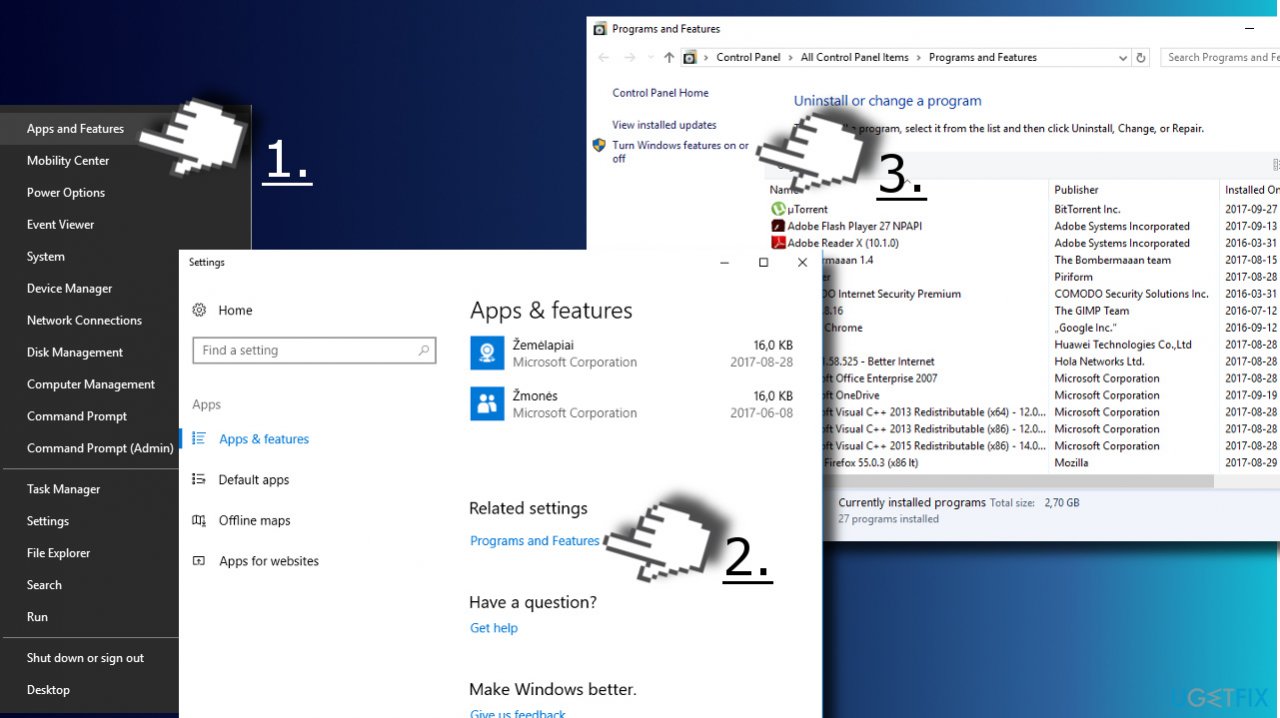
1. Press Windows key + X and select Apps and Features.
2. Scroll down to the bottom and click Programs and Features link.
3. Then click the Turn Windows features on or off link on the left pane.
4. Locate Hyper-V option and unmark it.
- 5. Click OK to save the changes and reboot.
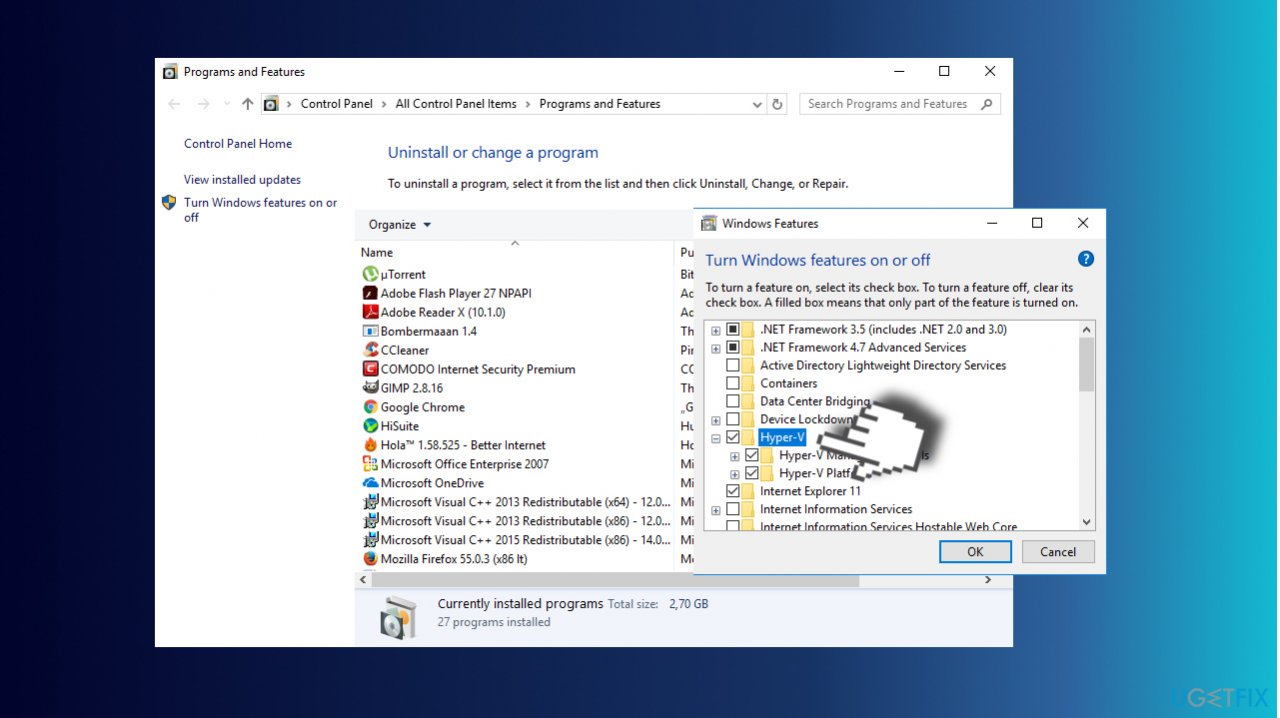
Please Note that this option will not uninstall Hyper-V but will temporarily disable the feature and will automatically re-enable it after an update.
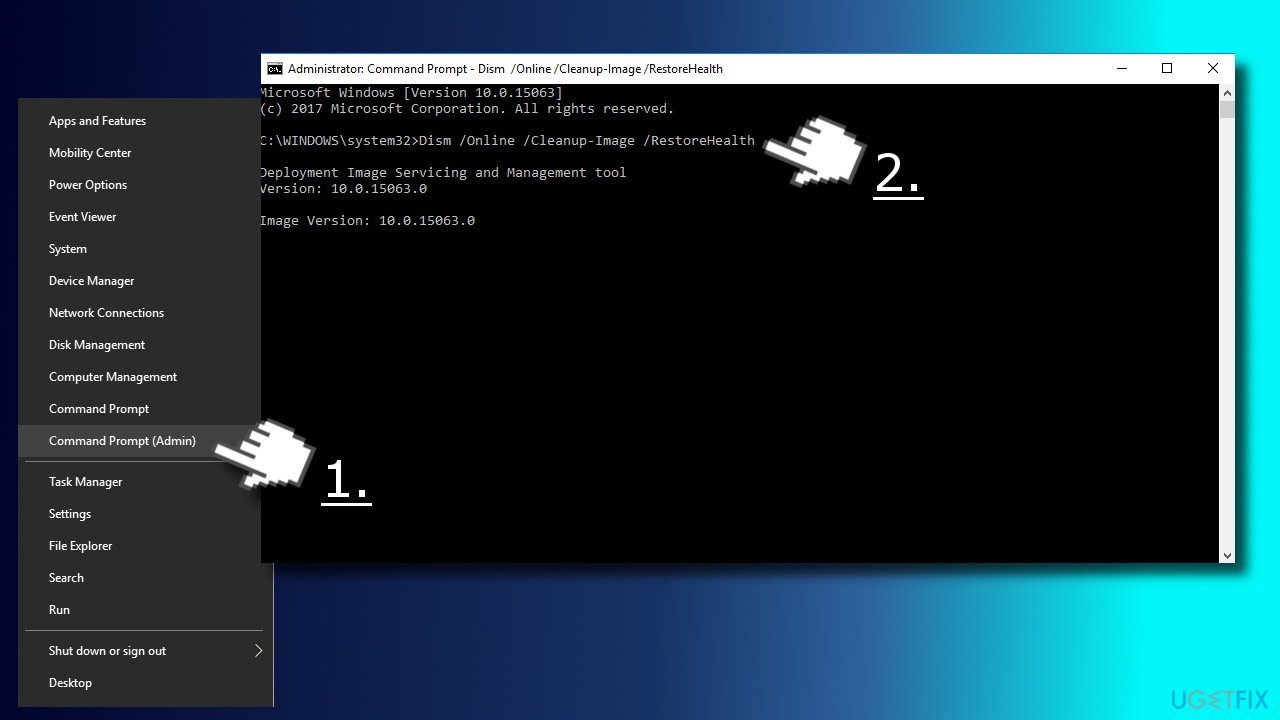
6. Right-click on Windows key and select Command Prompt (Admin)
7. Copy and paste the Dism /Online /Cleanup-Image /RestoreHealth. Press Enter
8. Then run the Dism.exe /online /Cleanup-Image /StartComponentCleanup command and hit Enter
9. Now type the sfc /scannow and press Enter again.
10. Close Command Prompt and open Windows PowerShell (with administrative privileges)
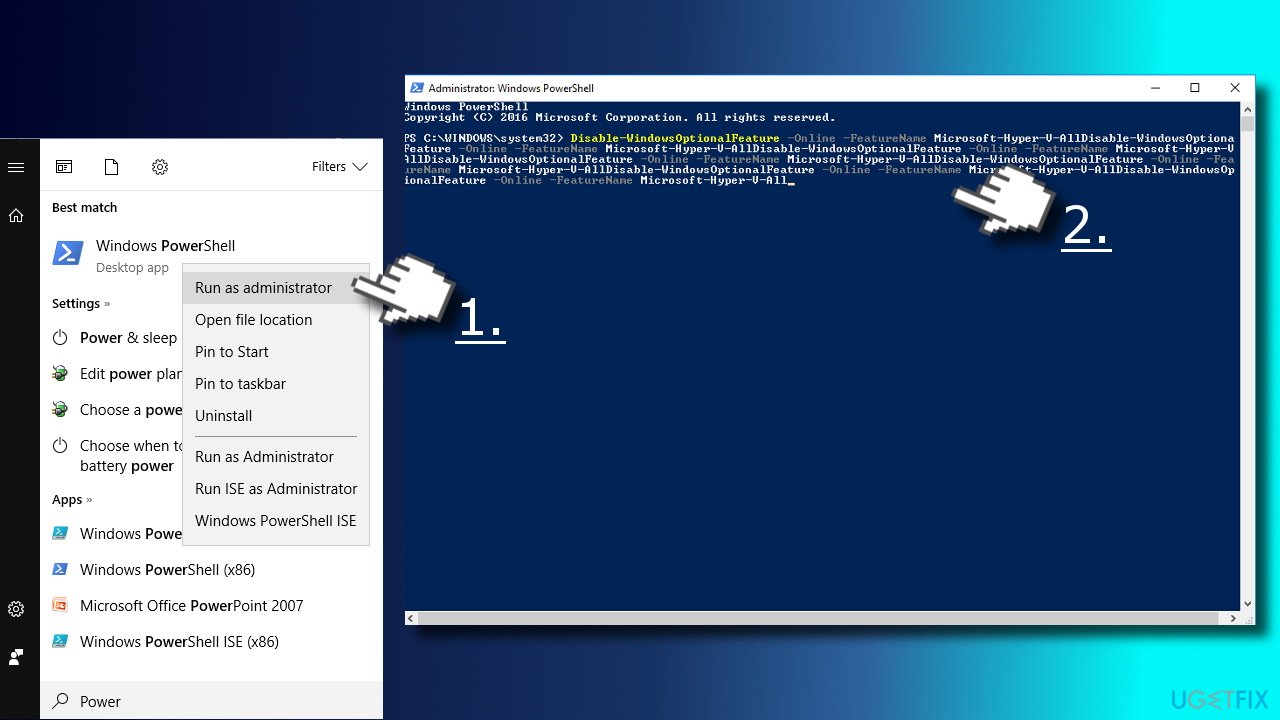
11. Type PowerShell in Windows search, right-click it, and select Run as Administrator.
12. Copy and paste the Disable-WindowsOptionalFeature -Online -FeatureName Microsoft-Hyper-V-All
14. Close PowerShell and reboot the PC
Incase your Microsoft .Net Framework got corrupted while you were trying other methods. just follow these simple steps to reinstall .Net Framework.
Find .NET Framework and download it.
Run the setup file and confirm the installation. Don’t worry if the process lasts up to 10 minutes
Once installed, try to Uninstall/Disable Hyper-V.
credit to UgetFixed
